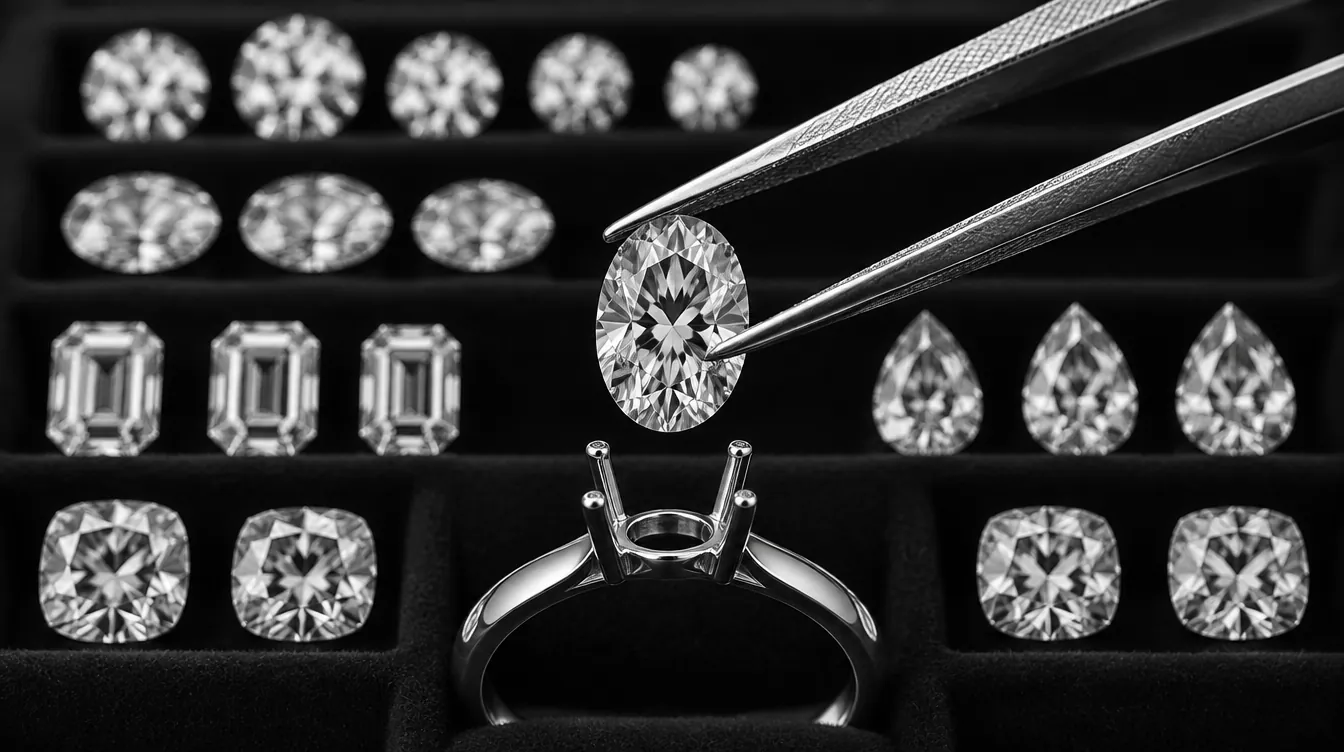
What the integration is
Nivoda is a B2B marketplace where jewellers buy natural and lab-grown diamonds from many suppliers through one account. Ring Facet is a 3D ring builder: shoppers pick a shape, setting, band, metal and size and see the ring in real time on your website or Shopify store.
The integration joins the two. Instead of choosing an abstract grade such as “1.20 ct, G, VS1” and waiting for someone to find a matching stone, the shopper picks a specific Nivoda diamond, with its own grading report and measurements, and sees that diamond set in the ring they built. The ring is priced from that diamond.
Three things make it different from embedding a separate diamond search page:
- It is your account. You connect your own Nivoda login, so your Nivoda pricing, markups and ordering stay exactly as they are. Ring Facet never stands between you and Nivoda.
- The diamond is drawn at its real size. A Nivoda diamond is rendered from its certificate length, width and depth in millimetres, on a band built to the shopper’s ring size, so the 3D ring matches what you will set.
- You keep control. Limits fence what can be offered, an opening view sets what shoppers see first, and every price is checked with Nivoda again before a quote or checkout.
Connect your Nivoda account
Connecting takes a few minutes once Nivoda sign-in is on for your Ring Facet account.
- Open your configurator in the Ring Facet dashboard and go to 2. Diamond Feed.
- Under Connect your Nivoda account, enter your Nivoda username and password and choose Connect. Ring Facet checks the login with Nivoda before saving anything.
- Read the result: it shows how many lab-grown and natural diamonds your builder can offer, and an example of what a shopper would pay for one, so you can confirm your markups straight away.
- Open 3. Pricing, choose From my diamond feed for Lab Grown, Natural or both, set your mounting price, and save. Connecting alone does not switch your builder over; this step does.
- Open your live builder, choose a diamond and check its price against your Nivoda markups.
Later you can use Test connection to run the check again, Update login after changing your Nivoda password, or Disconnect to stop showing Nivoda diamonds at once. While Nivoda is connected, the CSV upload is put aside; stones you uploaded before stay stored and come back if you disconnect.
What shoppers see
On a builder connected to Nivoda, the Diamond step becomes a live diamond search inside the ring builder:
- Photo cards for each diamond with shape, carat, colour, clarity and measurements, and an Expand view that opens a wide browser beside the 3D ring on desktop.
- Filters for diamond type (lab grown or natural), carat, colour and clarity ranges, cut for round diamonds, and fancy colours by hue where you offer them.
- A details window with a turnable 360° video when the diamond has one, a photo otherwise, the full grading details and a link to the lab’s grading report for recognised labs.
- The diamond in the ring at true size. Ring size comes first, the band is built to it, and the chosen diamond sits in the setting at its certificate measurements. The hand view uses the same size.
- More diamonds load as the shopper scrolls, so there is no page-by-page clicking through a large inventory.
- Your language and currency. The builder runs in eight shopper languages, and prices show in your builder’s currency where Nivoda supports it.
The settings and bands come from the Ring Facet library or your own uploaded CAD. How the 3D renderer works · Use your own ring models
Choose which diamonds to offer
Once Nivoda is connected, Diamond Feed shows Which diamonds to offer. These are limits, not defaults: shoppers can narrow their search inside them but never go past them, and a quote or checkout for a diamond outside them is refused. They apply to every ring builder in your account. Leave a grade with nothing ticked to allow any.
| Limit | Choices |
|---|---|
| Carat | From and to, in carats. |
| Colour | D to M. A colour limit also hides fancy colours. |
| Clarity | FL, IF, VVS1, VVS2, VS1, VS2, SI1, SI2, I1, I2. |
| Certificate lab | GIA, IGI, HRD, GCAL, AGS, EGL, SGL, GSI, DBIOD. Shoppers are only offered the labs your feed has diamonds from. |
| Polish and symmetry | Excellent, Very Good, Good, Fair. |
| Cut (round diamonds) | Excellent (includes Ideal), Very Good, Good, Fair. Other shapes are not graded for cut. |
| Fluorescence | None, Faint, Medium, Strong, Very Strong. |
| Growth method (lab grown) | CVD, HPHT. Natural diamonds are not affected. |
| Diamond price | From and to, in your currency: what the shopper pays for the diamond after your Nivoda markup. |
| Table and depth | From and to, as a percentage of the diamond’s width. |
| Returnable diamonds only | Only diamonds Nivoda accepts back. |
| Only diamonds with a 360° video | Every diamond shoppers see can be turned in the details window. |
Diamonds on hold or on memo are never shown. Some Nivoda accounts are limited to diamonds in certain locations; where that applies, searches and the checks before a quote or checkout follow it.
What shoppers see first
Below the limits, What shoppers see first sets how the diamond list opens. Shoppers can change or clear all of these.
- Order: lowest price first (the default), highest price first, largest first, smallest first, or newest listings first.
- Starting carat range, for example 1 to 2 ct if most of your customers buy in that range.
- Starting colour and clarity grades.
- Start with diamonds that have a 360° video, which shoppers can switch off in Filters.
A good pattern is to keep limits wide enough for every diamond you would sell, and use the opening view to lead with the diamonds you would recommend.
Pricing and markups
Nivoda returns two prices for each diamond: your cost, and the retail price produced by the markups you set in your Nivoda account (tiers by carat or price, separately for natural and lab grown). Ring Facet shows shoppers the retail price only. Cost prices never reach the browser.
The ring total is your mounting price from the Pricing tab plus the chosen diamond. In feed mode the carat, colour and clarity price rows you would use for grade-based pricing add nothing, so a diamond is never charged twice. Metals, settings, bands, engraving and other add-ons are priced by your Ring Facet rules as usual. Setting and diamond prices
Because the retail price comes from your own Nivoda markups, a diamond costs the same in the ring builder as on any other Nivoda-powered page you run, such as Nivoda Connect.
Quotes, checkout and orders
You choose the customer action in 5. Publish: request a quote, add to cart, or both. A quote-only builder can also hide prices from shoppers, and quote requests can go to up to three email addresses. Quote-only options
- Checked again before it counts. When a quote is sent and before checkout, Ring Facet looks the diamond up with Nivoda again. If it has sold, changed, or now falls outside your limits, the shopper is told and asked to choose another.
- Everything you need to order. The quote email carries the Nivoda offer ID, certificate lab and number, grades and measurements, and the order line shows the diamond’s ID, certificate and measurements.
- You place the order. Ring Facet does not order or hold diamonds on Nivoda. You order from your Nivoda account exactly as you do now.
On Shopify, cart prices are verified inside Shopify’s checkout, not trusted from the browser. Shopify ring builder · WooCommerce
Set it up with an AI assistant (MCP)
The Ring Facet MCP connector (beta) lets an AI app such as Claude or ChatGPT work in your Ring Facet account. For Nivoda it can:
- Read your diamond limits and opening view and explain them in plain language.
- Change them after you approve. The assistant is told to show exactly what will change and wait for your yes. Changes go live straight away on every ring builder in the account, exactly like Save in the dashboard.
- Undo a change, as long as nothing has been saved over it since.
- Set your mounting and add-on prices with the same pricing tools it uses for any ring builder.
Your Nivoda login is never handled by the AI app: connecting, updating or disconnecting Nivoda happens only in the dashboard. Changing diamond limits needs the connector’s diamond permission, so an AI app connected before that permission existed must reconnect once.
Prompts to try:
- “Show my Nivoda diamond limits and what shoppers see first. Don’t change anything.”
- “Limit my builders to GIA and IGI diamonds from 0.5 to 4 ct, VS2 or better, returnable only. Show me the change first.”
- “Open the diamond list with 1 to 2 ct, D to G, newest first.”
- “Undo the last diamond limits change.”
Your login and data
Nivoda’s API signs in only with an account’s username and password, so Ring Facet has to keep them to search diamonds for your shoppers. We store the login encrypted with a separate key, never show the password again, and send it only to Nivoda. It is deleted as soon as you disconnect Nivoda or delete your Ring Facet account. Privacy policy
If Nivoda stops accepting the saved login, usually after a password change, we email you once and show a warning in Diamond Feed. Shoppers cannot see Nivoda diamonds until you choose Update login.
Diamond data is passed through live and is not copied into a Ring Facet database, so shoppers always see Nivoda’s current availability and prices.
What you need
- A Nivoda account with API access, which Nivoda approves per account, and your markups set in Nivoda. Nivoda’s API installation guide explains how to request it.
- A Ring Builder Studio or Scale plan. Diamond Feed is part of both. Pricing
- Nivoda sign-in switched on for your Ring Facet account. We are turning it on account by account. Ask us and we will set it up with you.
What it does not do
- No orders or holds placed for you. You order and hold diamonds in Nivoda.
- Diamonds only. Nivoda gemstones are not offered in the builder.
- No Nivoda ring designs. Settings and bands come from Ring Facet’s library or your own CAD.
- Only shapes the builder can draw. The builder offers diamonds in the shapes it models with real facet geometry, rather than showing a generic stone.
Other diamond marketplaces
Nivoda is the first marketplace with a live connection. If you buy from another network, two things are possible today: upload a CSV export from that supplier, which works now and is priced by your own markup bands (CSV inventory guide), or tell us which marketplace you use so we can prioritise a live connection to it.
RapNet (Rapaport Trade)
The Rapaport group’s trading network for the diamond and jewellery trade, now trading as Rapaport Trade. Members can publish a diamond feed to their own website through Instant Inventory, which gives a developer an API Client ID and Secret. Membership is limited to the trade.
IDEX Online
A B2B diamond trading platform with natural and lab-grown inventory and diamond price data. Its IDEX Onsite service lets members pick inventories and receive them through an API for their own website.
VDB (Virtual Diamond Boutique)
A B2B marketplace app for natural and lab-grown diamonds and jewellery, where retailers can memo, hold or buy from suppliers. VDB also sells its own jewellery website software.
Polygon
A vetted, members-only trading network for jewellers and dealers, running since 1984, with natural and lab-grown diamond, jewellery and watch listings and its own diamond auctions.
Use a different supplier or your own stock system? Tell us through the contact form.
Nivoda, RapNet, Rapaport Trade, IDEX, VDB and Polygon are trademarks of their owners. Naming them here does not mean they endorse Ring Facet. Ring Facet is independent software; your supplier accounts, their terms and your orders stay between you and the supplier.
Nivoda FAQ
What does the Nivoda integration do?
It connects your own Nivoda account to your Ring Facet ring builder. Shoppers choose a real, certificated Nivoda diamond, see it set in the 3D ring at its certificate measurements, and request a quote or add the ring to the cart at the price your Nivoda markups produce.
Do I need my own Nivoda account?
Yes. You sign in with your own Nivoda username and password, and the account needs API access approved by Nivoda, with your markups set in Nivoda. Ring Facet never uses a shared or Ring Facet-owned Nivoda account for your shoppers. Nivoda API installation guide
Does Ring Facet sell diamonds or take a cut of the diamond price?
No. Ring Facet holds no stock and takes no share of the diamond. The shopper pays you, and you order the diamond from Nivoda the way you do today.
How are Nivoda diamond prices set?
Each diamond shows at the retail price Nivoda calculates from the markups you set in your Nivoda account. Ring Facet adds your mounting price from the Pricing tab and never sends Nivoda cost prices to the browser.
Can I limit which Nivoda diamonds my builder shows?
Yes. In Diamond Feed, under Which diamonds to offer, you can limit carat, colour, clarity, certificate lab, polish, symmetry, cut for rounds, fluorescence, lab-grown growth method, diamond price, table and depth, and offer only returnable diamonds or only diamonds with a 360° video. Shoppers can narrow inside these limits but never go past them.
Can I choose how the diamond list opens?
Yes. Under What shoppers see first you choose the opening order (lowest price, highest price, largest, smallest or newest) and starting carat, colour, clarity and 360° video filters. Unlike limits, shoppers can change or clear these.
What happens if a Nivoda diamond sells before the shopper checks out?
Ring Facet looks the diamond up with Nivoda again when the quote is sent and before checkout. If it is no longer available, or falls outside your limits, the quote or checkout is refused and the shopper is asked to choose another diamond.
Can shoppers buy, or only request a quote?
Both, depending on how you set up the builder: request a quote, add to cart, or both. A quote-only builder can also hide prices from shoppers. Either way, you place the order with Nivoda yourself.
Does it work alongside Nivoda Connect?
Yes. Both read your own Nivoda account and markups, so prices agree. Ring Facet adds the 3D ring and settings from its own library or your own CAD; Nivoda’s own ring designs are not used.
Is my Nivoda password safe?
Your login is encrypted with a separate key, never shown again and sent only to Nivoda. It is deleted when you disconnect Nivoda or delete your Ring Facet account. If Nivoda stops accepting it, we email you once and show a warning in the dashboard.
Can an AI assistant change my Nivoda settings?
Yes, through the Ring Facet MCP connector (beta). An AI app can read your diamond limits and opening view and, after you approve, change them; changes go live at once and can be undone. Your Nivoda password never passes through the AI app. MCP setup
Which Ring Facet plan includes the Nivoda feed?
Diamond Feed is part of Ring Builder Studio and Scale. Nivoda sign-in is switched on per account while we roll it out, so ask us and we will turn it on for your account. Pricing · Ask for access
Can I connect RapNet, IDEX, VDB or Polygon instead?
Not as a live connection yet. You can upload a CSV export from any supplier today, and we want to hear from jewellers who would use a live connection to another marketplace. Other marketplaces
Diamond feeds overview · Nivoda in the docs · Complete setup guide · Blog