What is on the store
ringfacet.myshopify.com sells 29 pieces in four collections: 10 rings, 7 earrings, 7 pendants and necklaces, and 5 bracelets. Each comes in 14K yellow, white and rose gold, and the rings in sizes 4 to 9.
Every product page has one photo per metal and one interactive 3D model, all made from the same CAD file. The store runs Shopify's Clarity theme with the Ring Facet app. Orders placed there are not fulfilled.
Product cards: hover for 3D
On a laptop, open Rings and rest the pointer on a product. Its photo gives way to the 3D model, which you can drag to turn and switch between metals. A click that is not a drag opens the product, as the photo would.
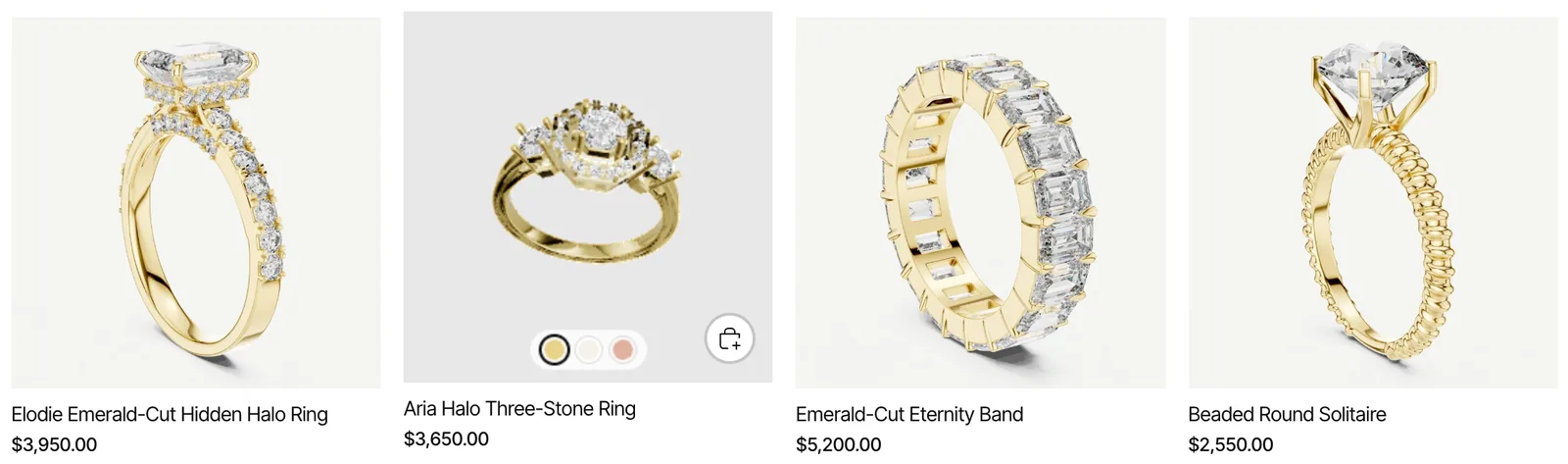
A small “Loading 3D” label shows until the model is ready, which takes a few seconds the first time. Touch screens keep the photo, since there is no hover on a phone.
Product page: the 3D follows the metal
On a product such as Classic Round Solitaire, the gallery shows the yellow, white and rose photos with the 3D model beside them. Pick 14K White Gold or 14K Rose Gold: the 3D turns to that metal in place. It does not reload, and the photos stay where they are.
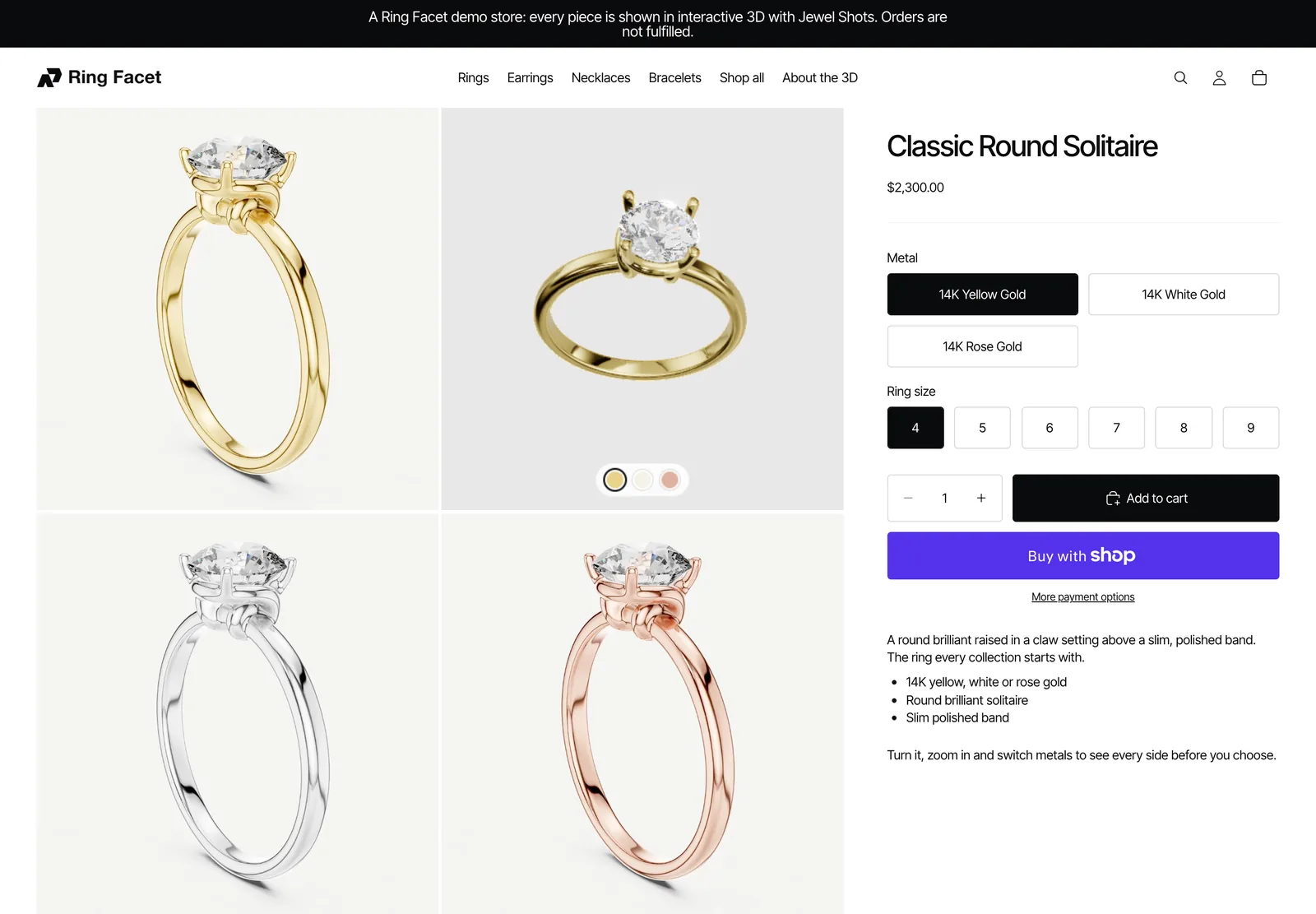
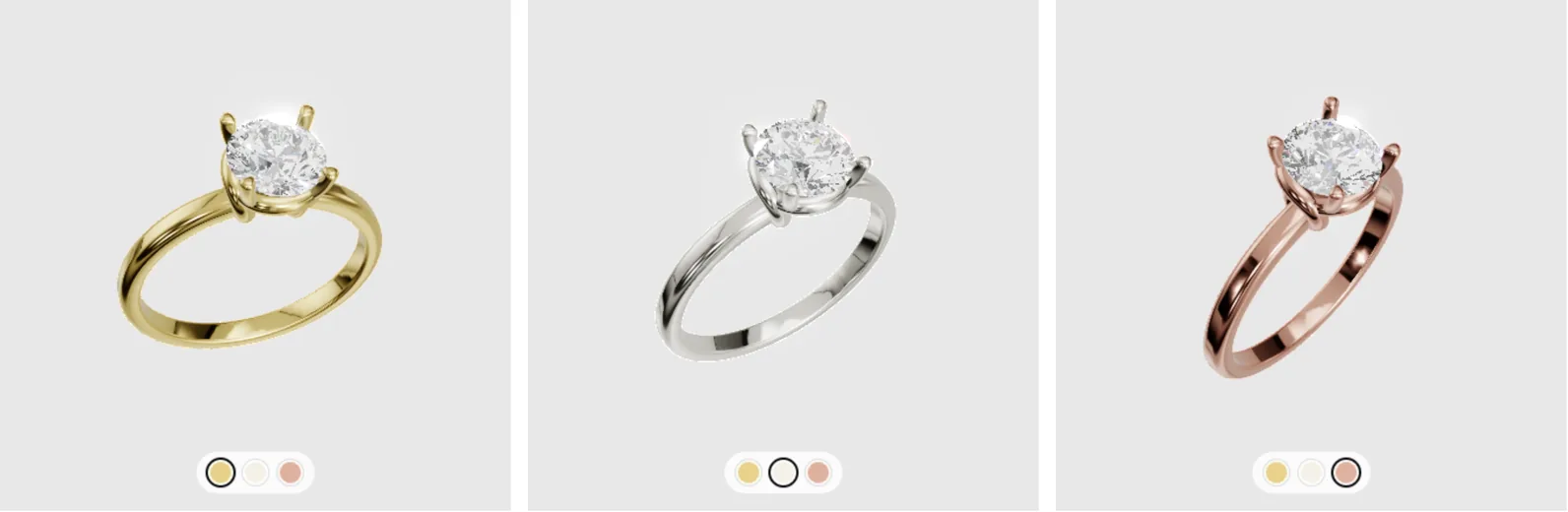
The model's own metal switches still work, so a shopper can compare metals in 3D without changing the variant they are buying.
On a phone
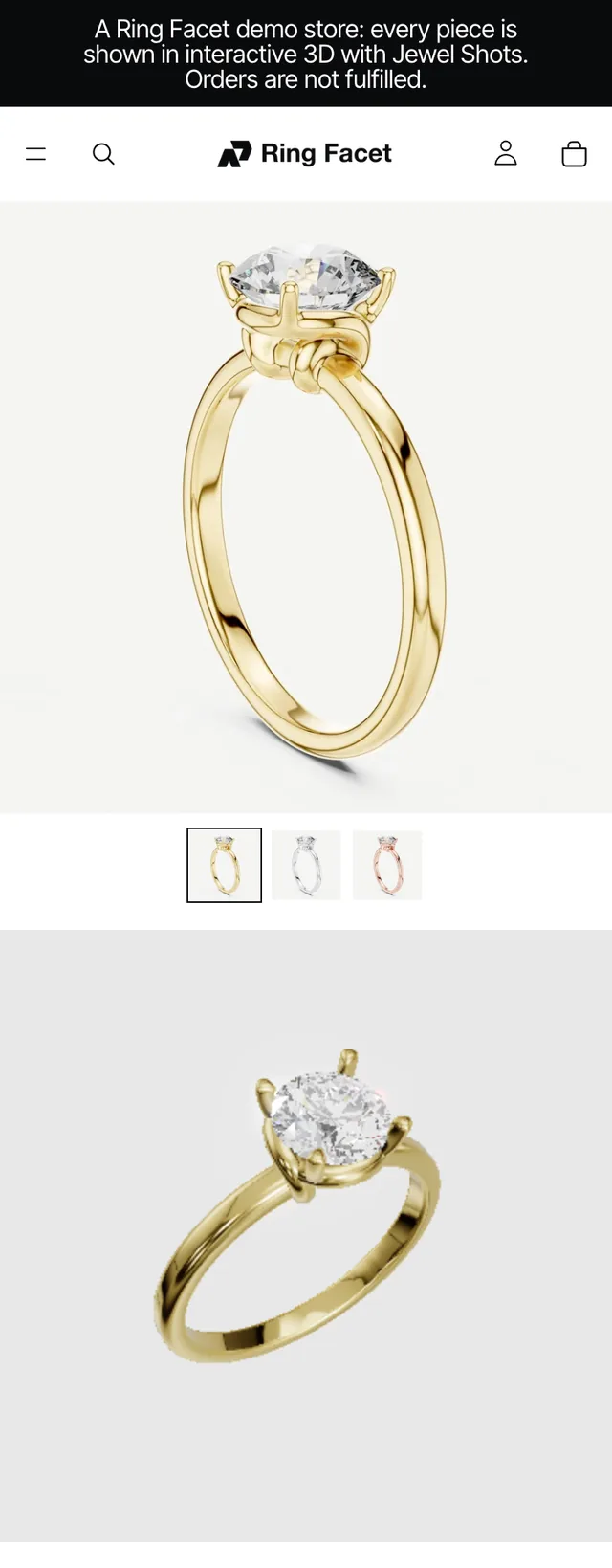
On a phone the photos swipe as they do on any Shopify store, and the 3D model sits in its own box below them. A thumb on the 3D turns it sideways, and a vertical swipe over it scrolls the page, so the model never traps the shopper.
Picking a metal turns the 3D below, just as on a desktop.
Tablets show the photos and the 3D in a single column, so the 3D is large enough to turn with a finger.
What is the app, and what is theme code
Part of what you see comes with the Ring Facet app, and part is four theme snippets we wrote for the demo. The snippets are published, with instructions, so you can add them to your own theme.
| On the demo store | How it is done | How to set it up |
|---|---|---|
| 3D model in the product gallery | The app's Jewel Shots gallery embed | Setup guide |
| Metal switches in the 3D, finish and background | Set once per model in the Jewel Shots editor | Setup guide |
| 3D on product card hover | Theme snippet | Theme code, snippet 1 |
| The 3D follows the Metal option | Theme snippet | Theme code, snippet 2 |
| Phones: 3D below the photos | Theme snippet | Theme code, snippet 3 |
| The 3D stays loaded on a variant change | Theme snippet | Theme code, snippet 4 |
The fixed order of the desktop grid (yellow, 3D, white, rose) is a few lines of CSS particular to this store's photos, and is not part of the snippets.
How the store was set up
- Models. Each piece's Rhino file was converted in the Jewel Shots editor. Its metals were named Yellow, White and Rose, the words that appear in the store's Metal option. For the necklaces, the chain was hidden with Select pieces to remove, so the pendant fills the frame.
- Products. The model files are named after the product handles, which Auto-match SKUs recognises. Each product was then published with Publish matched, which added one 3D item to its media.
- Gallery. The Jewel Shots gallery app embed is on, so the Jewel Shots viewer takes the place of each product's 3D item.
- Theme. The four snippets were added to the theme as they are published.
The setup guide covers steps 1 to 3, and the theme code guide covers step 4.
FAQ
Is it a real Shopify store?
Yes. It is a Shopify store on a regular plan, running Shopify's Clarity theme with the Ring Facet app installed. Orders placed there are not fulfilled.
Which parts come with the app, and which are theme code?
The 3D in the product gallery, its metal switches and the domain lock come with the Ring Facet app. The 3D on product card hover, the 3D following the Metal option, the phone layout and keeping the 3D loaded on a variant change are four theme snippets, published with instructions in the theme code guide.
Do the theme snippets use extra live embeds?
No. They show the same product viewers the app publishes. Each product with a published model counts as one live embed, wherever its viewer appears.
Can I get the same on my store?
Yes. Publish your models with the Shopify setup guide, then add the theme snippets you want. The snippets are written for Shopify's Horizon themes; two of them need small changes on other themes.